
New from Radio Jingles 24
Your station deserves a website that looks like a station.
RadioSite24 builds and runs it for you. Put in your shows, your presenters and your schedule, and the site keeps itself up to date — the homepage always says who is on air right now, this week’s schedule follows the clock, and last month’s events take themselves down.
From £12 a month, 14 days free, nothing charged until day 15, pay yearly and get twelve months for the price of ten, with a domain of your own thrown in.
Already a station? Log in to your website
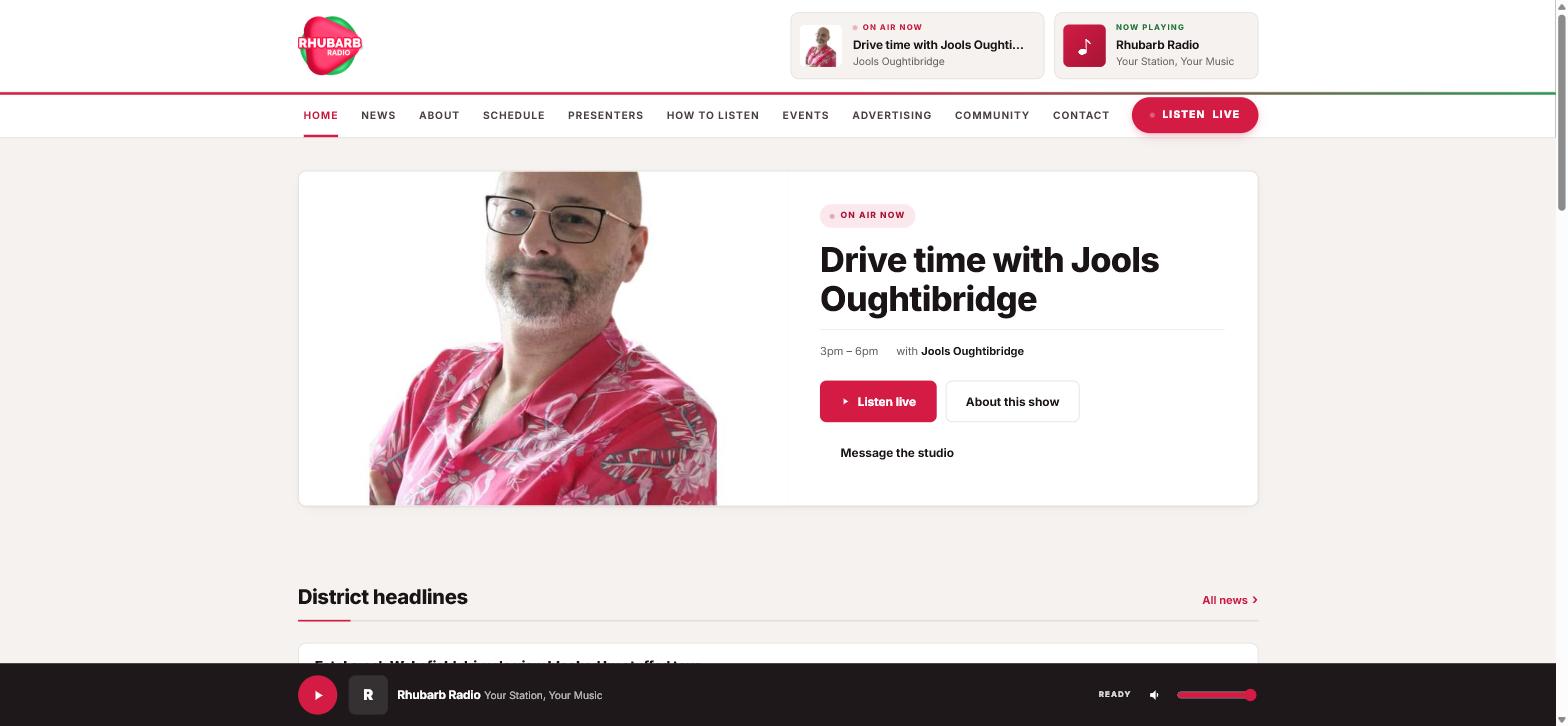
Every screenshot on this page is a real station’s real week. Nothing here is a mock-up.
On air now, on RadioSite24
Stations already running on it.
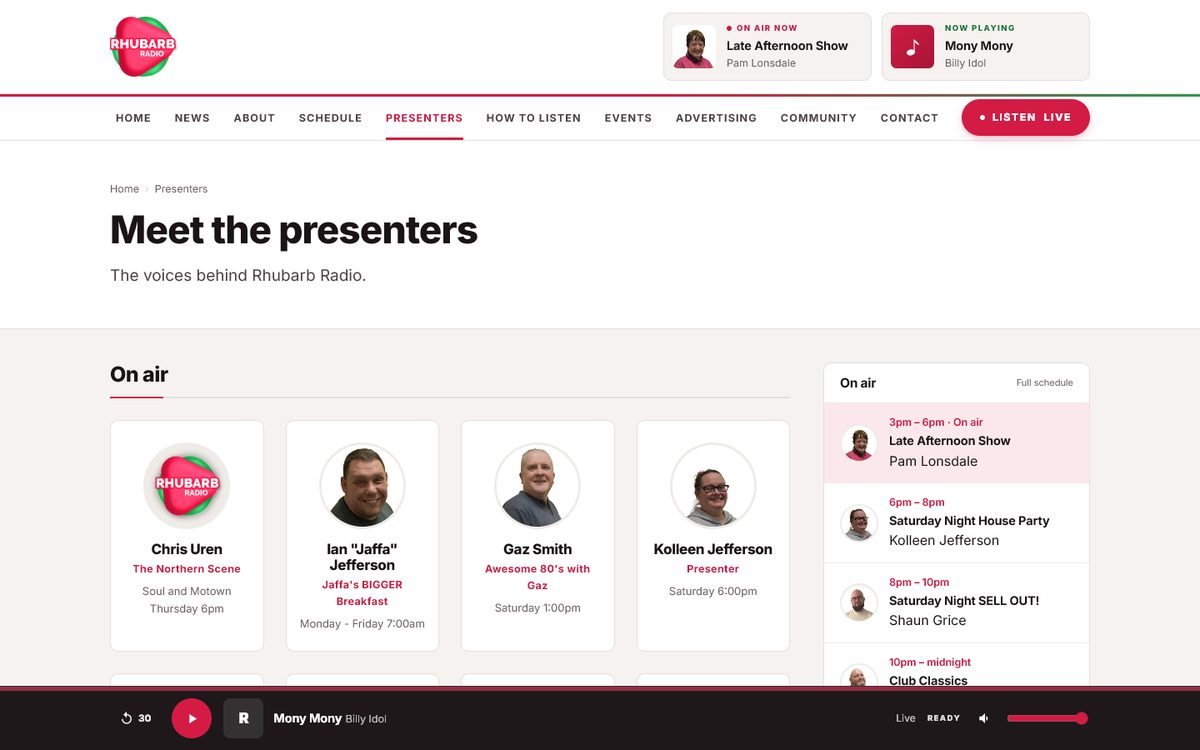
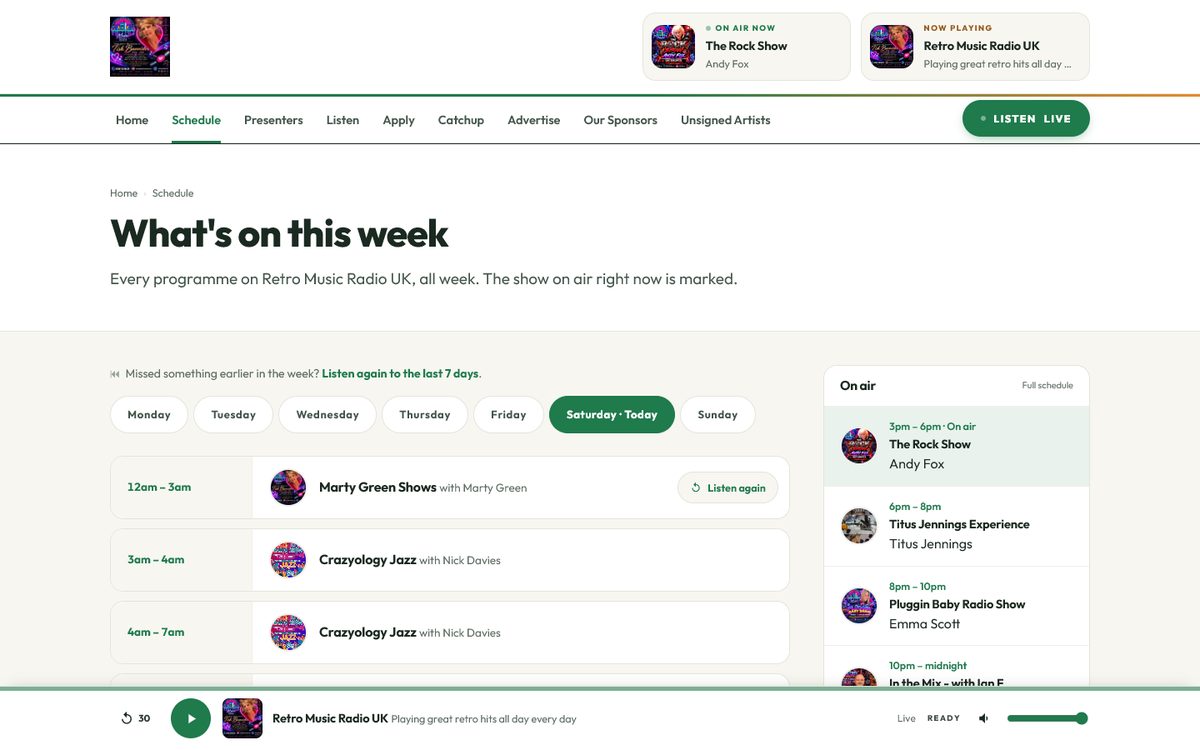
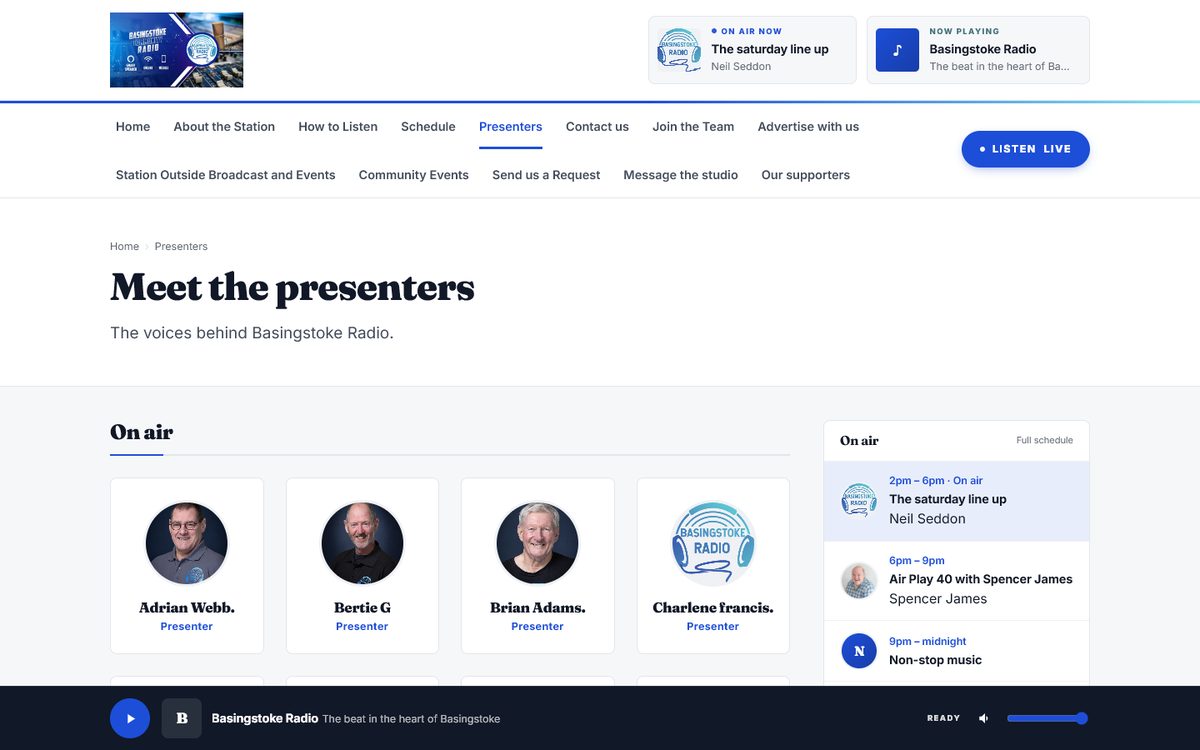
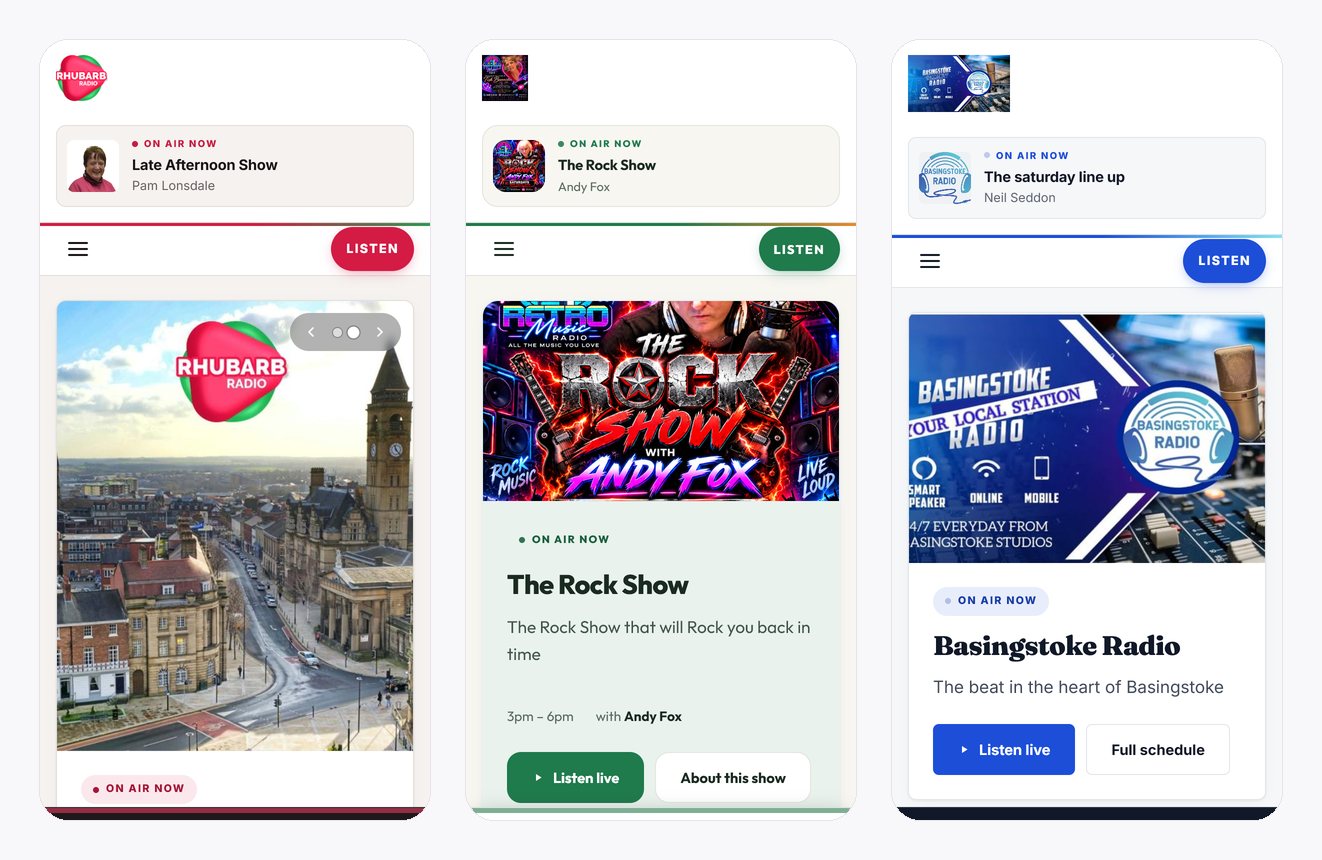
Three real stations, three different looks, each run by the station itself. These are their homepages on Saturday 26 September 2026 — the show on air is the one that really was.
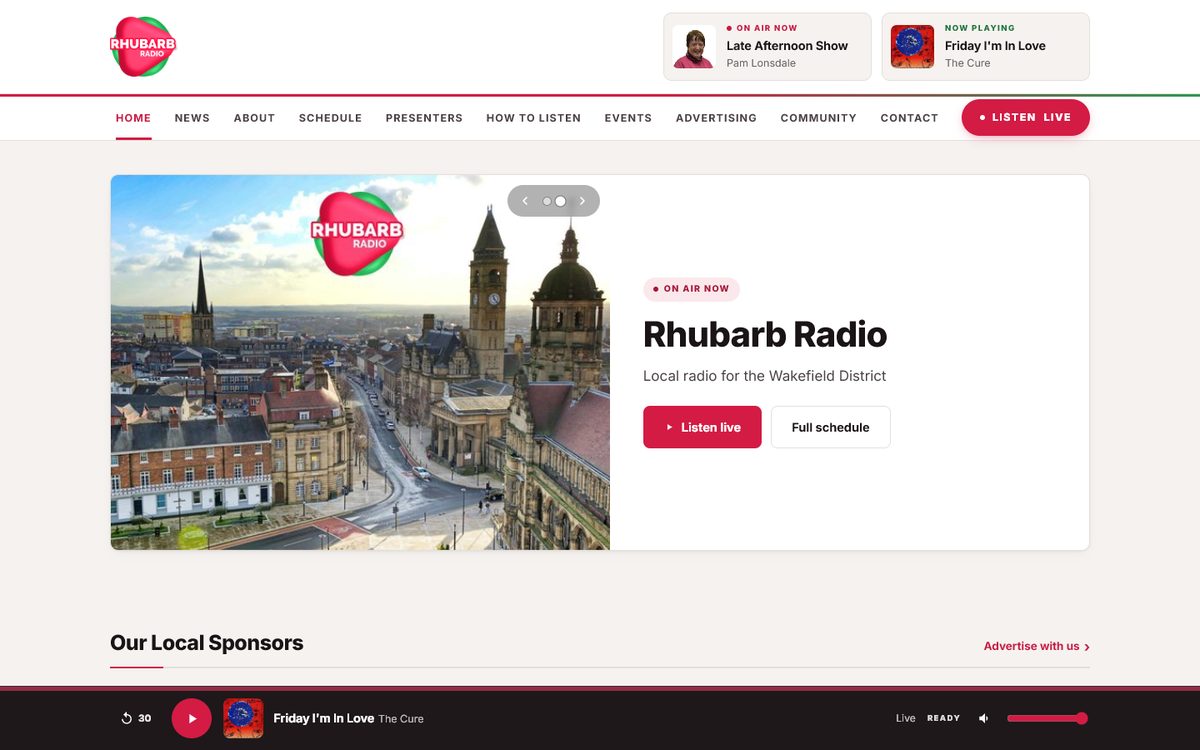
Rhubarb Radio
Wakefield, West Yorkshire
Local radio for the Wakefield District. 33 programmes and 26 presenters, each with their own page, 13 local sponsors on the homepage, and the Wakefield Express headlines coming in by themselves.
rhubarbradio.co.uk →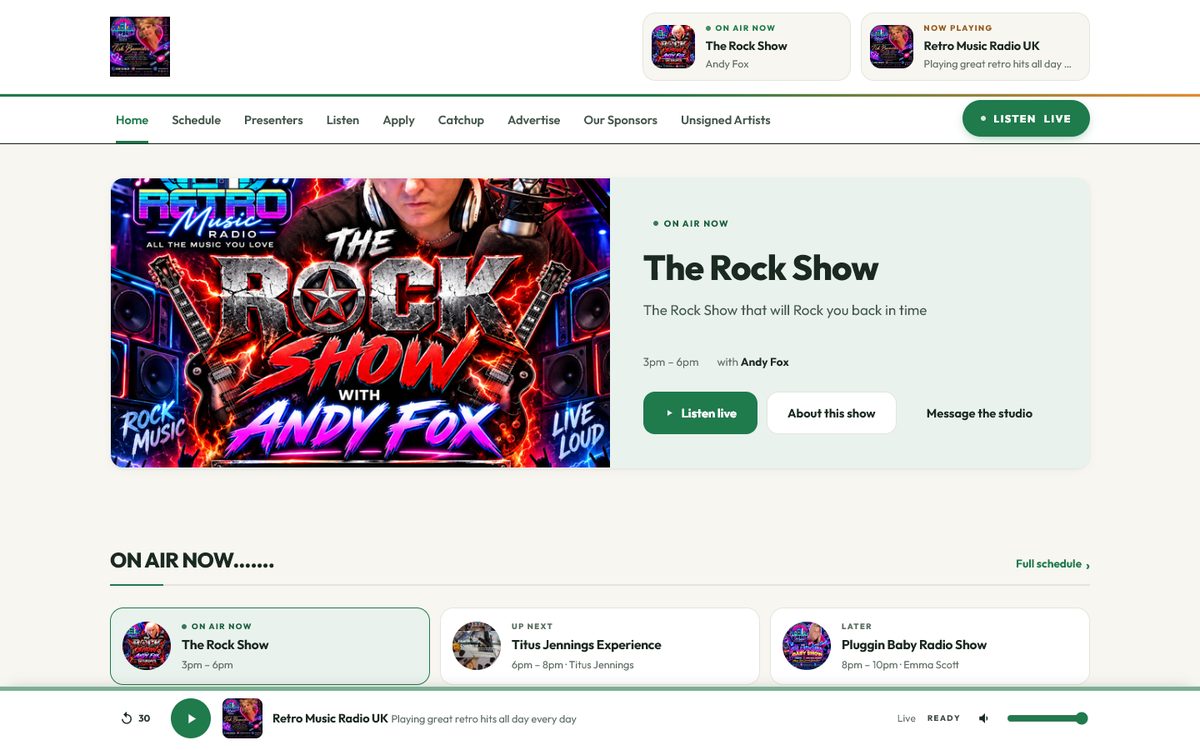
Retro Music Radio UK
Middlewich, Cheshire
68 programmes and 38 presenters, their own show artwork on the schedule, and listen again on every programme of the last seven days — recorded as it goes out, with nobody uploading anything.
retromusic.uk →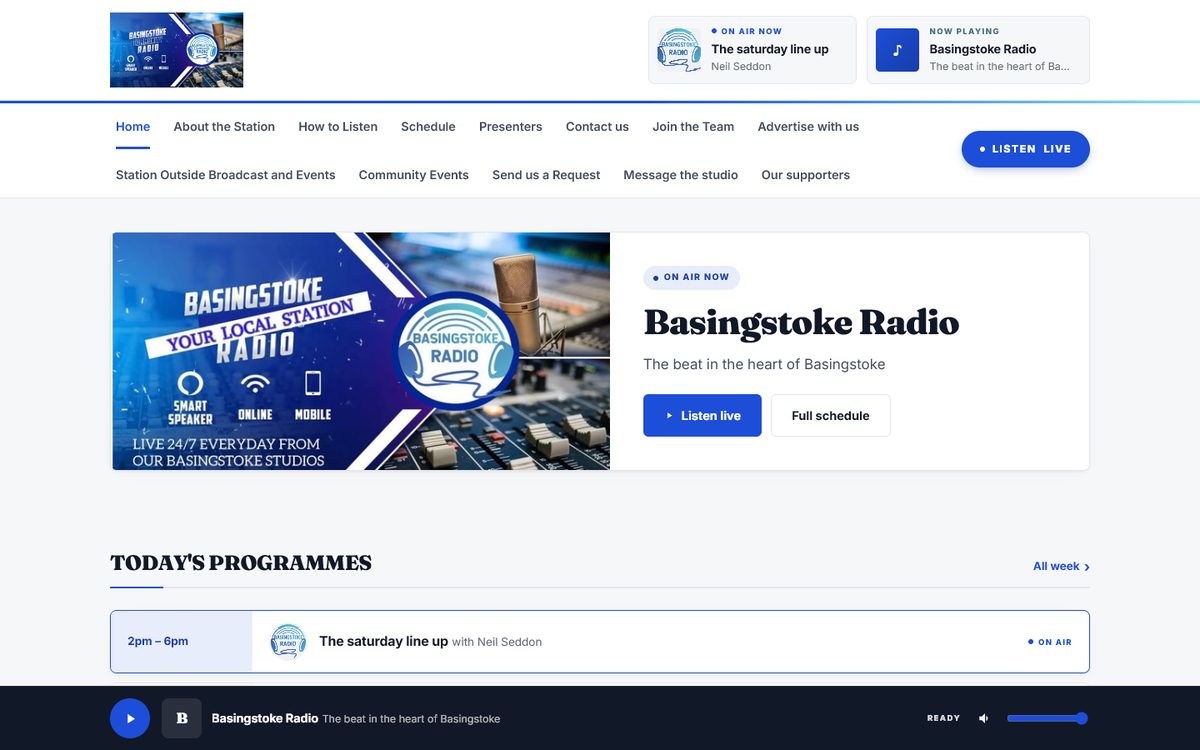
Basingstoke Radio
Basingstoke, Hampshire
“The beat in the heart of Basingstoke.” 36 programmes and 28 presenters, requests and messages to the studio from the site, and a domain of their own that came with the yearly plan.
basingstokeradio.co.uk →And inside.
Why this exists
Most station websites are somebody’s weekend project from 2019.
The schedule is out of date because updating it means editing a table. The presenter who left last year is still on the “meet the team” page. It looks wrong on a phone. And the one person who knew how to change it has moved away.
A radio station’s website has one job no ordinary website builder does: it has to know what is on air right now. Everything here is built round that.
- Live schedule that runs itself
- A player on every page that keeps going as they browse
- Podcasts, in a feed the directories actually accept
- Your own domain, pointed at us
- Audience figures you can put in a rate card
- No cookies, no trackers, nothing sold
Your listening figures
How many people listen — and to which show.
Every station gets asked this. By a funder, by a sponsor, by the committee, and by the presenter who wants to know if anyone is out there. Most stations answer with a guess.
We read the listener count straight off your stream, every two minutes, and add it up. That counts everybody — in cars, on smart speakers, in apps, on your website — not just people who happened to press play on a web page.
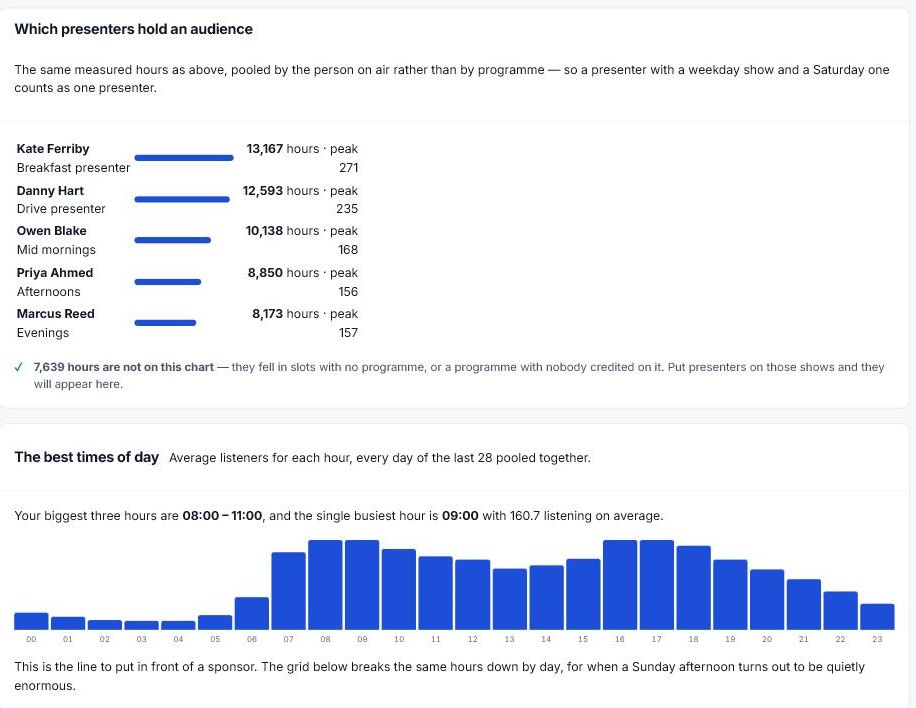
- Which presenters hold an audience. Every measured hour pooled by the person who was on air, so somebody with a weekday show and a Saturday one counts once, as themselves. It is the first time most stations have ever seen that number — and the one every presenter asks for.
- Which times of day are your biggest, said in words: your biggest three hours are 08:00 to 11:00, and the busiest single hour is 09:00. That is the line that goes on a rate card, and you should not have to read it off a heat map.
- Which programmes people actually listen to, because we match every hour to your schedule. Breakfast holds two hundred and the afternoon holds ninety, and now you know
- Listening hours, the week and the month — the same measure the industry uses, and the number a funding form asks for
- The whole week, hour by hour, for when a Sunday afternoon turns out to be quietly enormous
And we tell you what we cannot see. A stream gives a headcount, not a guest list, so we report listening sessions and say plainly that a regular listener is several of them. We would rather give you a number you can defend than one that falls apart in front of a funder. If your host does not publish a listener count at all — Live365 and a few others — we say so on the screen rather than showing you a zero.
Moving over
Already got a website? Give us the address.
The first question we ask a new station isn’t about colours or layouts. It’s “have you got a website already?” — because if you have, the worst part of moving is typing it all in again.
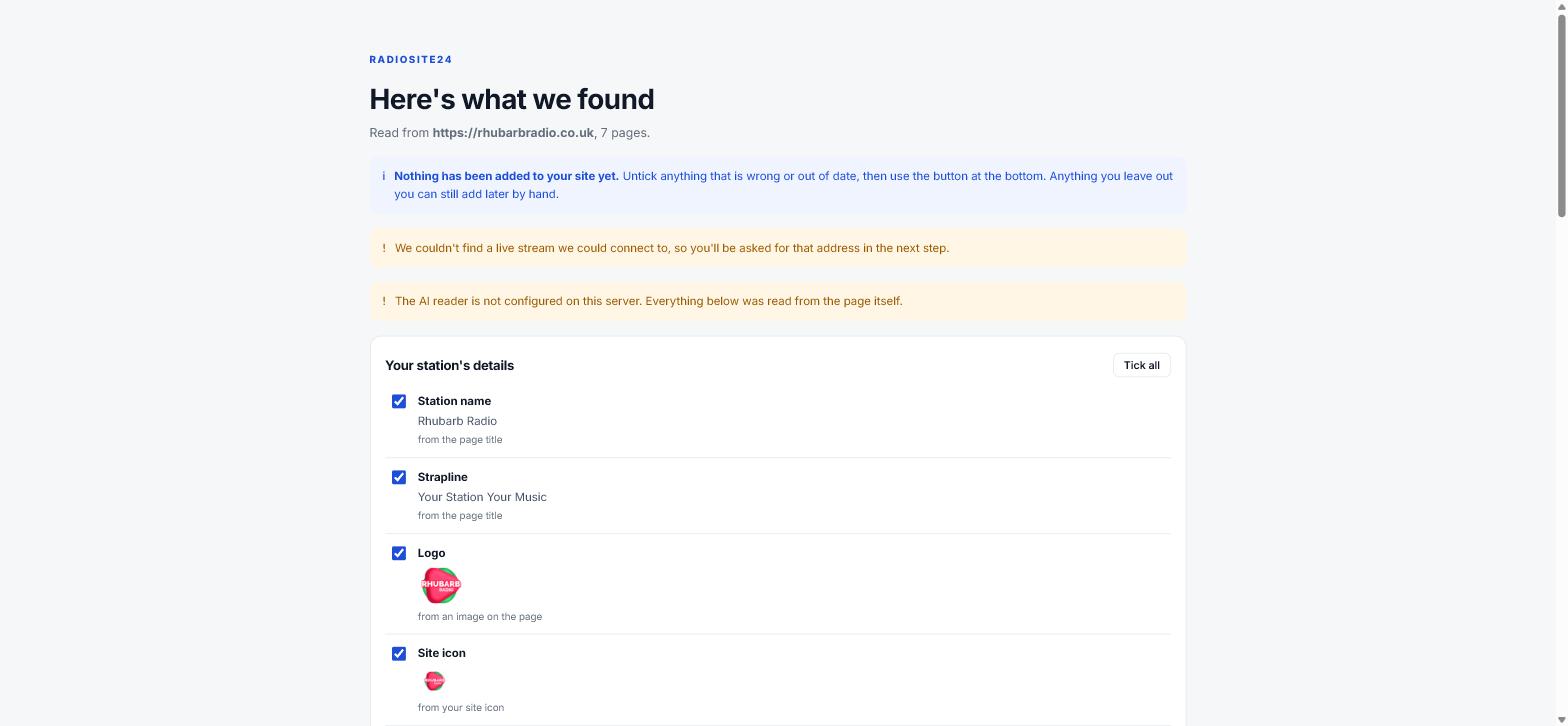
So we read it. Your presenters, your shows, your schedule, your contact details, your social links. It takes about fifteen seconds, and you watch it work rather than staring at a blank screen.
Then you get a review page: everything we found, in plain words, with where each thing came from, and a tick against each one.
- Nothing is written to your site until you submit that form. That is the whole reason the feature is safe to offer
- It only ever fills empty fields — it never overwrites anything you have already typed, and never deletes
- Import twice by accident and you get the same site, not two of everything
- If we can’t find something, we say so. We never invent a description for a show to fill a gap
Editing
Click the pencil. That’s the whole thing.
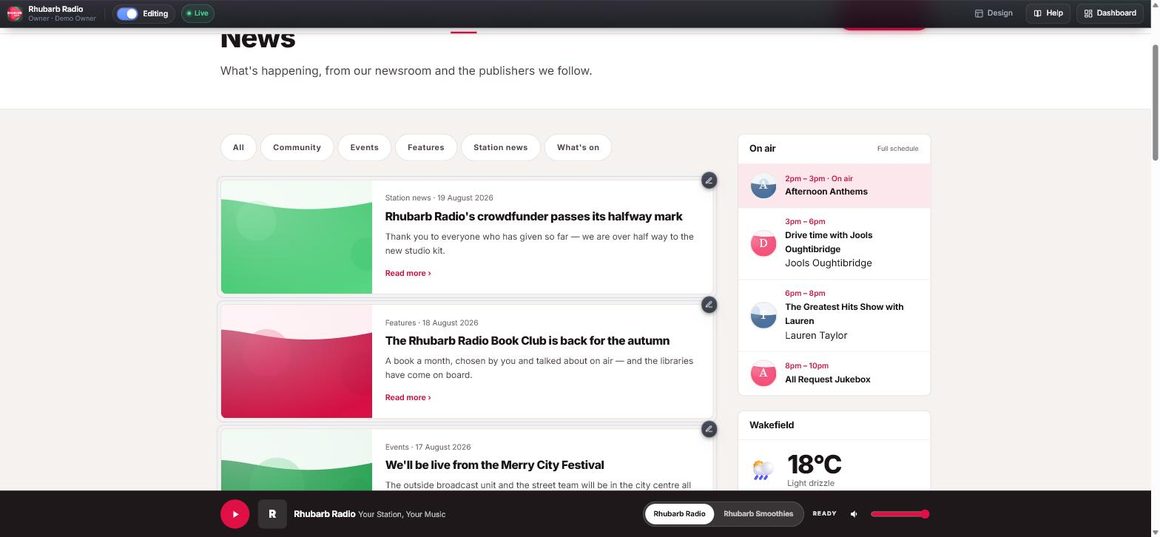
There is no separate “website software” to learn. Sign in, open your own site, and everything you are allowed to change has a small pencil on it. Click one and the right form slides in over the page.
- You are looking at the thing you are changing while you change it
- Saving updates the page underneath without reloading, so the music never stops
- A listener’s page has no bar, no pencils and no trace that any of it exists
- Paste straight from Word or Google Docs — the mess is stripped, the bold and links survive
- Photos are resized for you, so a 6MB phone snap doesn’t slow your homepage down
The schedule
Fill in the week once. The site does the rest, forever.
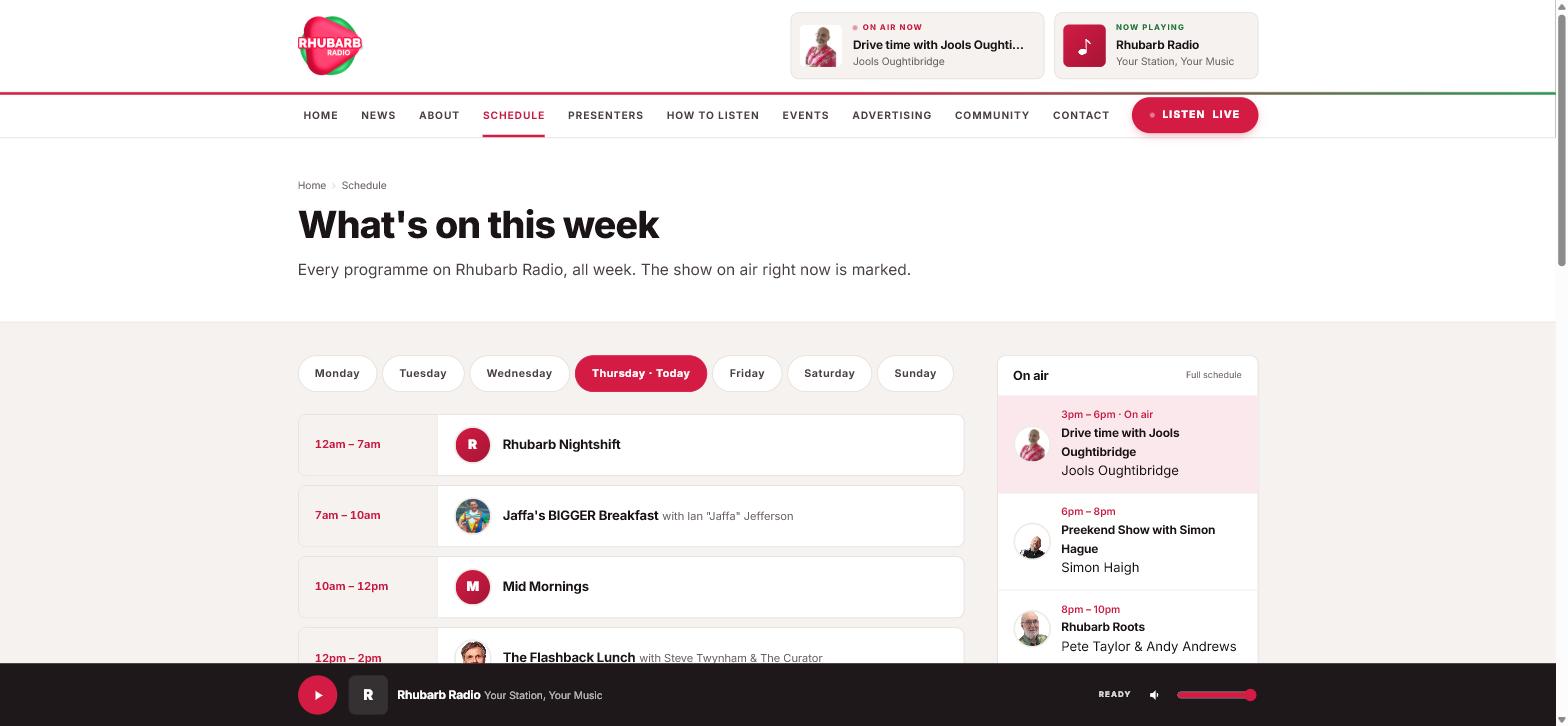
Your schedule drives everything: who is on air now, who is up next, today’s running order, the full week’s page, and the show artwork in the player.
- Type 7am or 19:30 — whichever you actually say
- It tells you where the gaps are, and fills them in one click
- A gap is why “on air now” goes blank at 3am. We refuse to let you leave one
- Bank holidays and one-off days replace the normal grid for that date, then put themselves back
- Times are your station’s local time, wherever your listeners are
Listen again
The bit nobody wants to do, done for you.
Most stations either don’t offer listen again, or somebody spends their Sunday cutting up a long recording and naming files. There is nothing to set up here and nothing to upload.
You have already told us your schedule. So we record each programme as it goes out, start to finish, and put it on your site under the show it belongs to.
- One recording per programme — not one long file chopped up afterwards, so a glitch costs you one show rather than the day
- It starts a few seconds early and runs a little past the end, so a clock that is slightly out never clips the first word
- Anything under ten minutes is skipped — that is a junction, not a programme
- Your last seven days, sweeping away behind itself
Why seven days and not an archive. A broadcast licence covers transmitting. Keeping the same programme up afterwards is a separate right, and the standard terms put the window at thirty days. Seven is comfortably inside it, is what a listener actually wants — “I missed Tuesday” — and costs a fraction of the disk.
What it needs from you
- A stream address — the one your listeners already use
- Somebody to confirm the station is licensed to do it
- Switch it on
That is the whole setup. If there is no stream to record, we say so rather than showing you an empty page.
Already keep your listen again on Mixcloud? Point us at it and we put a Listen again on Mixcloud button at the top of the page instead.
Pause and rewind live radio Broadcast
“Hang on — what did she just say?”
Somebody is listening on your website and misses the thing they were waiting for — the competition answer, the travel, the name of the record. On every other station’s site, that is gone.
On yours they drag the bar back and hear it.
Because we are already recording the programme that is on air, the last two hours of your output are sitting there ready. The player has a slider across it from the moment the page loads — drag it, or press back thirty seconds, and they are listening from then. When they catch up with themselves, they are back on the live stream without pressing anything.
- Rewind up to two hours — the same window the big commercial players give, and enough for a whole show
- Thirty seconds back and forward, for the last bit of hunting
- It tells them the time of day as well as how far back — nobody thinks “one hour thirty-two minutes in”, they think “the bit around half four”
- Works on a phone, and keeps playing while they carry on reading your site
Nothing to set up. If listen again is on, this is on.
Why only on Broadcast
Rewinding is your own recording played back, so it needs the recorder running — and recording a station costs real disk and real bandwidth every day. It is the same licence position as listen again: putting a programme up afterwards is a separate right from broadcasting it, and it is yours to hold.

The look
Eight finished looks. One click between them.
Not templates you have to fill in — complete designs, all built on the same layout. Switching is a change of clothes: nothing moves, nothing needs redoing, and you can switch back in a click.
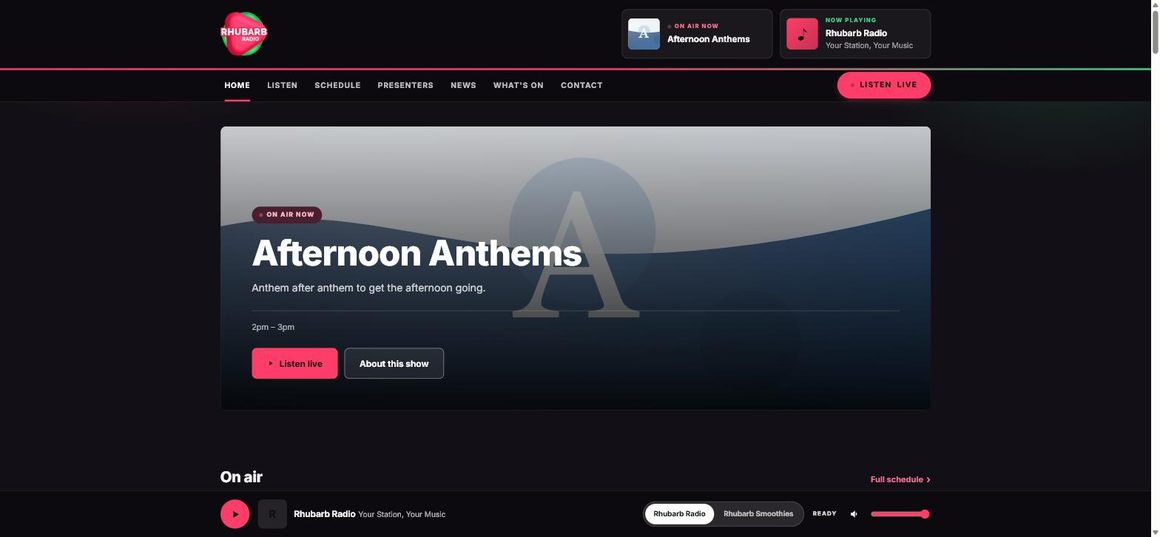
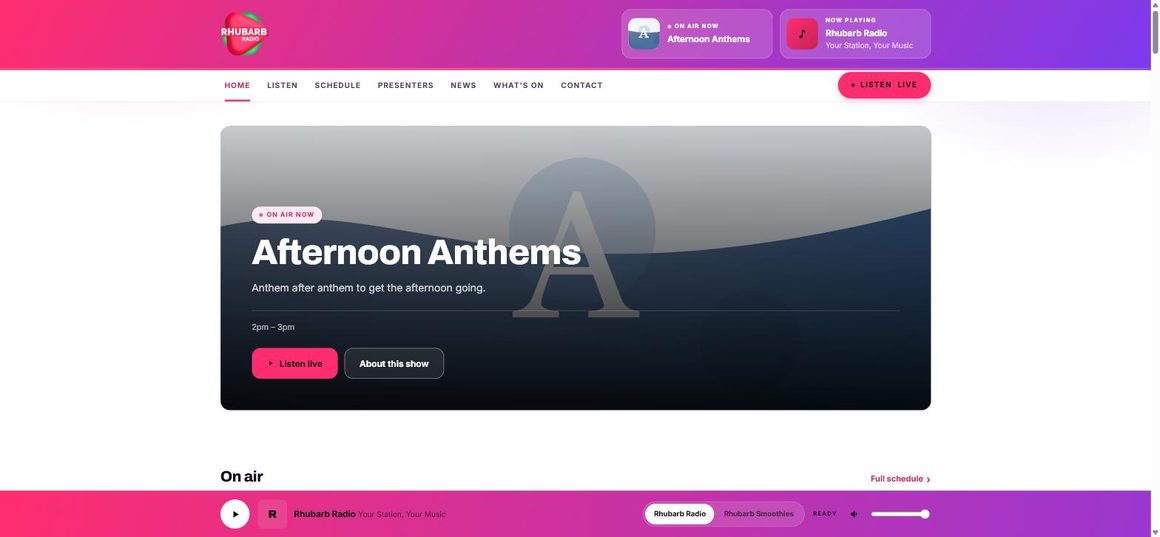
- Put in your own two colours and they take over
- Small text is quietly darkened so it stays readable — you get your brand, your listeners get something they can read
- Decide what goes on the homepage, and in what order, by dragging it
- Rename anything: “Meet the presenters” → “Our team”
On a phone
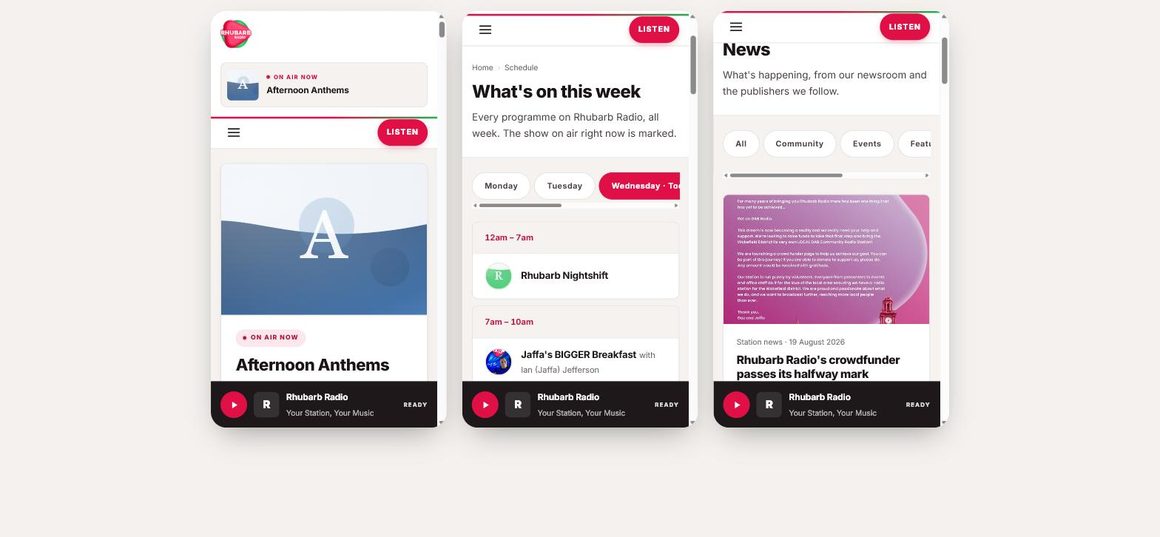
Most of your listeners are holding a phone.
Every page is built for a small screen first, and the player stays at the bottom of it — so somebody can start listening, then read your news, your schedule and your presenters without the audio stopping once.
- Nothing to switch on, and no separate mobile site to keep in step
- The player keeps going while they move around the site
- Works on the lock screen, with your station name and artwork
- Tested at 360px, because that is what a cheap Android actually is
Your station’s own app
“Add to home screen” — and you’re an app.
Your listeners can install your station on their phone. Not our app with your logo in it — yours, on your own web address, with your name under the icon.
- The icon is generated from the logo you already uploaded
- Opens full screen, with no browser bar
- Lock-screen controls — play, pause, your artwork
- Send a push notification when you go live or a competition opens
- Capped at three a week, on purpose. A station that pushes daily gets uninstalled
And in the car
On the dashboard, next to the nationals.
Modern car radios ask the internet who a station is. RadioSite24 answers — so your logo, your name and the show that is on right now appear on the dashboard.
- Built to the RadioDNS / SPI specification the receivers actually read
- Fed from the same schedule as your website — there is no second place to keep up to date
- Change your week, and the dashboard changes with it
What you get
Everything a station’s site needs, and nothing it doesn’t.
Every one of these is a proper feature, not a page you have to build yourself. Switch off what you don’t want and it disappears completely — no empty page, no menu item leading nowhere.
On air now
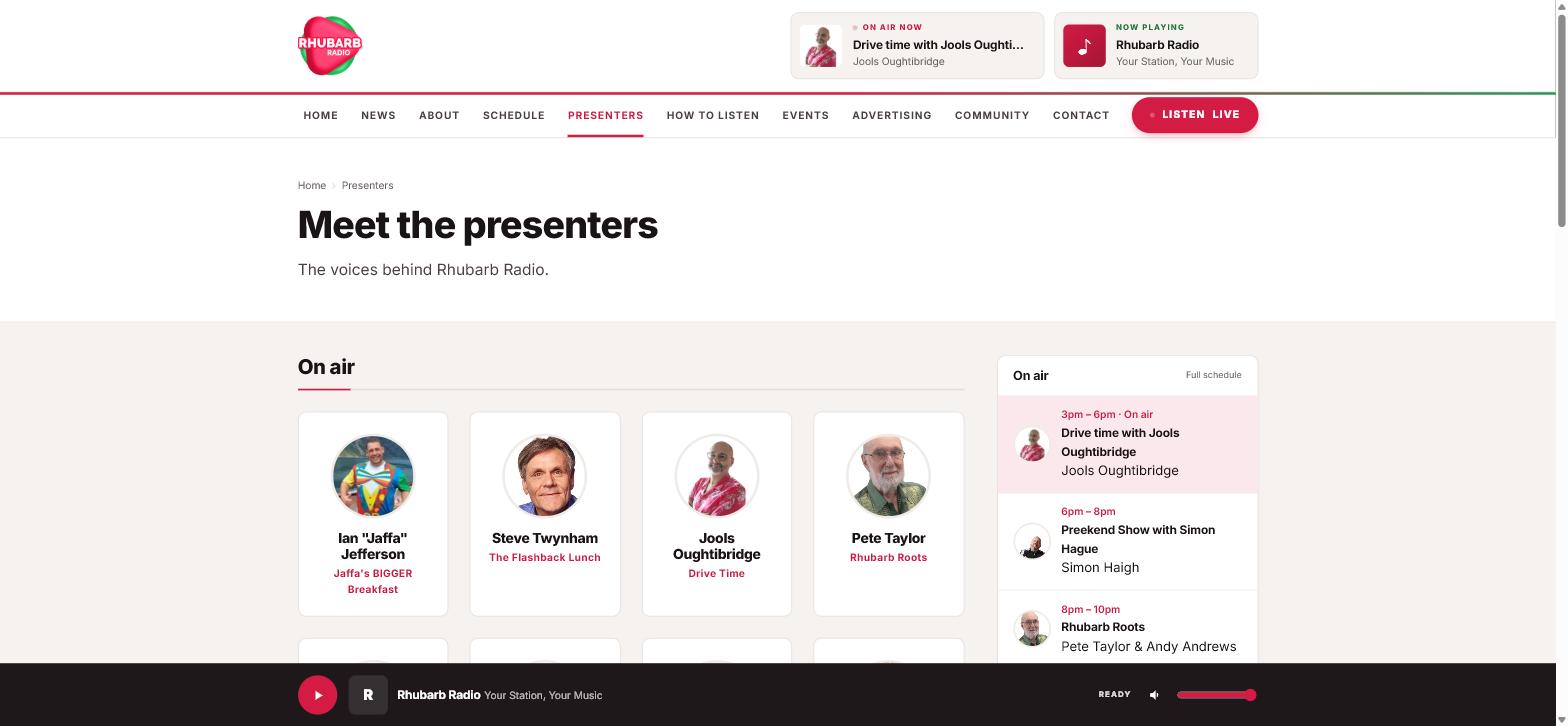
The homepage always leads with the show that is on, its presenter and the times from your schedule, without anybody touching it.
Shows & presenters
A page each, linked to each other and to the schedule. A presenter with no photo still looks deliberate. Listeners can message them without their email being on the internet.
News
Write your own, and pull headlines from your local paper or council. We take the headline and the link only and send the reader to their site — the line that keeps you out of trouble.
What’s on
Local listings that take themselves down when the event has been and gone. Free or priced, with a venue and a map.
Podcasts Plus
A real podcast feed that Apple and Spotify accept. Already hosting elsewhere? Point us at your feed and it just appears.
Real listening figures
Read off your stream every two minutes: which presenters hold an audience, which hours are your biggest, and how many hours were listened. Counts cars and smart speakers, not just your website.
Pause & rewind live Broadcast
A listener who misses something drags the player back and hears it. The last two hours of your output, on your own website, with nothing to set up.
Listen again Broadcast
The last seven days of your output, recorded programme by programme and swept away behind itself. Seven days because a broadcast licence covers transmitting — keeping it up afterwards is a separate right.
Competitions Plus
A prize, a closing time, a qualifying question. Entries land in your inbox and export as a spreadsheet for the draw.
Requests & dedications
The song, the artist, who it’s for. The dedication gets its own line, because that’s the bit presenters actually read out.
Community noticeboard Plus
Local groups submit; nothing appears until you approve it. The single feature that most makes a station’s site feel local.
Sponsors
Logos along the foot of every page, or credited on one show, the weather or the travel. Clicks are counted, so you have something real to show at renewal.
Weather & travel
A local forecast, and tidy links to the people who actually hold the road and rail data. We don’t pretend to have live traffic — a page showing four-hour-old delays is worse than no page.
Join the team Plus
Post for a Sunday presenter or a volunteer driver. Applications arrive with the demo attached.
Audience figures
Who pressed play, how long they stayed, which presenter gets read and which sponsor got clicked. See what it reports →
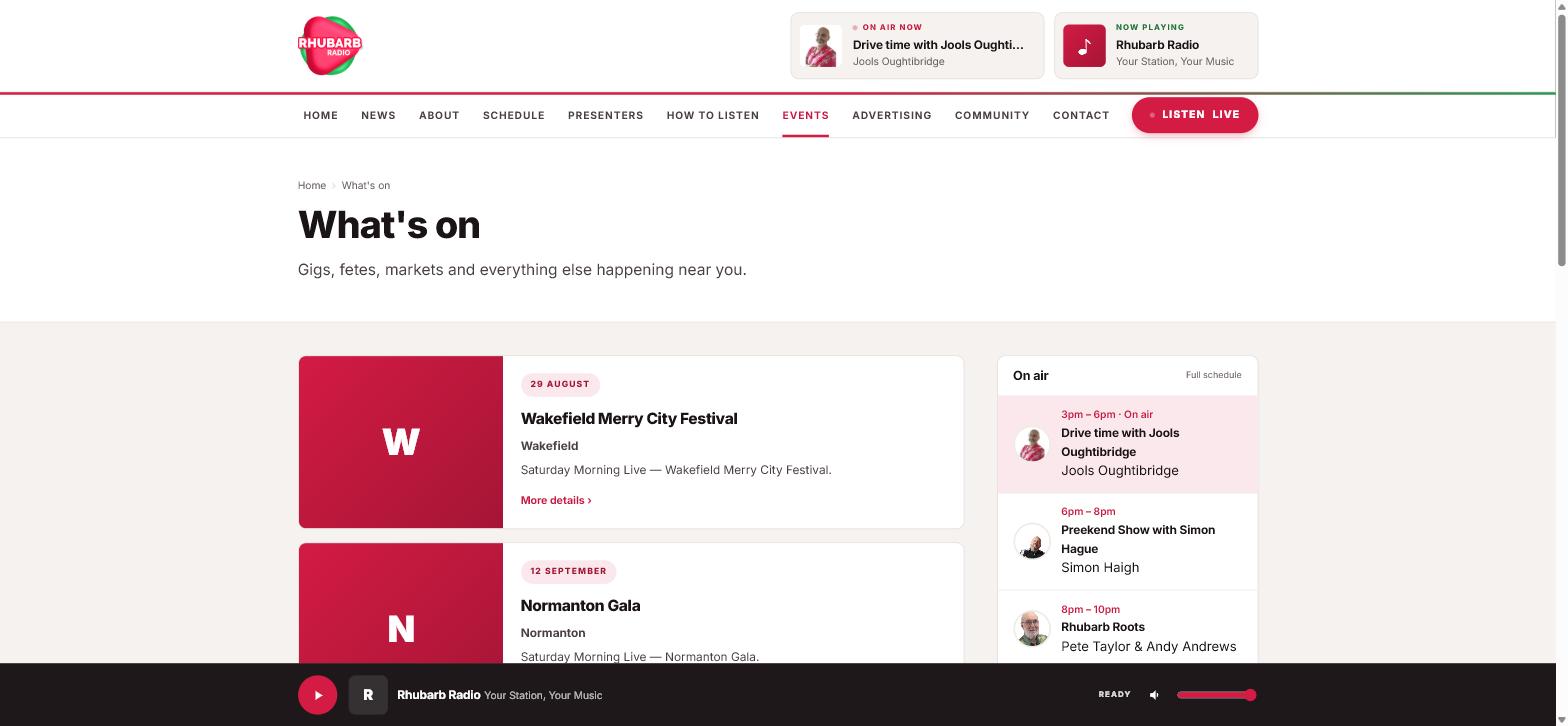
Behind the scenes
Written for a station manager, not a web developer.
There is no jargon anywhere you can see it. No slugs, no endpoints, no JSON, no IDs. Saving tells you what it did — “your schedule now covers the whole week”, not “OK”.
- Your dashboard opens with the one button worth pressing, not four numbers
- Four roles: owner, administrator, editor, presenter. A presenter can only touch their own things
- Nobody is ever shown a button that will then refuse them
- Deleting asks first, and says what will go with it
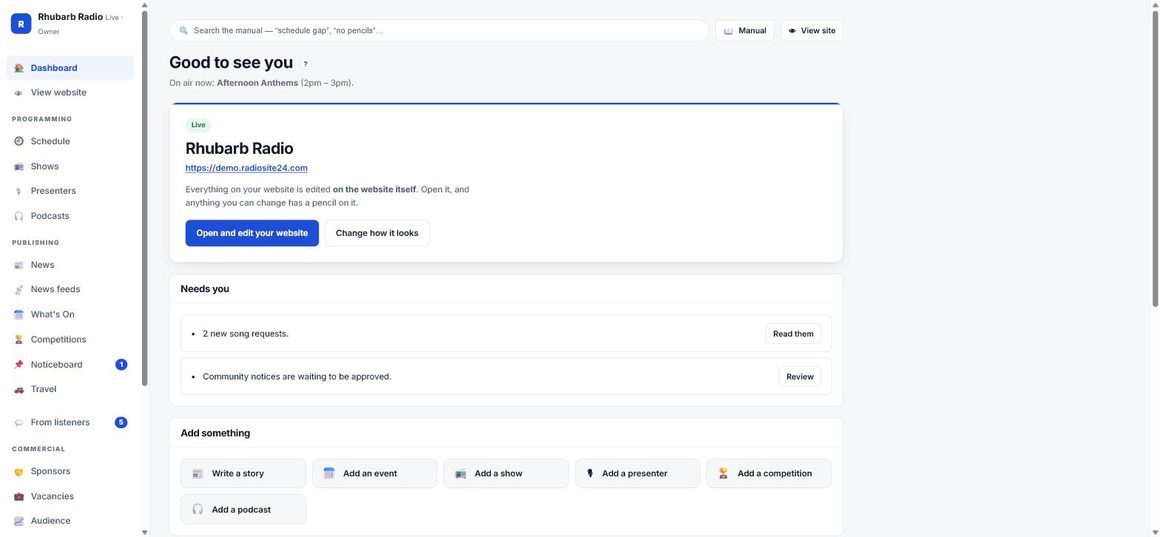
When you’re stuck
A manual that answers the question you actually typed.
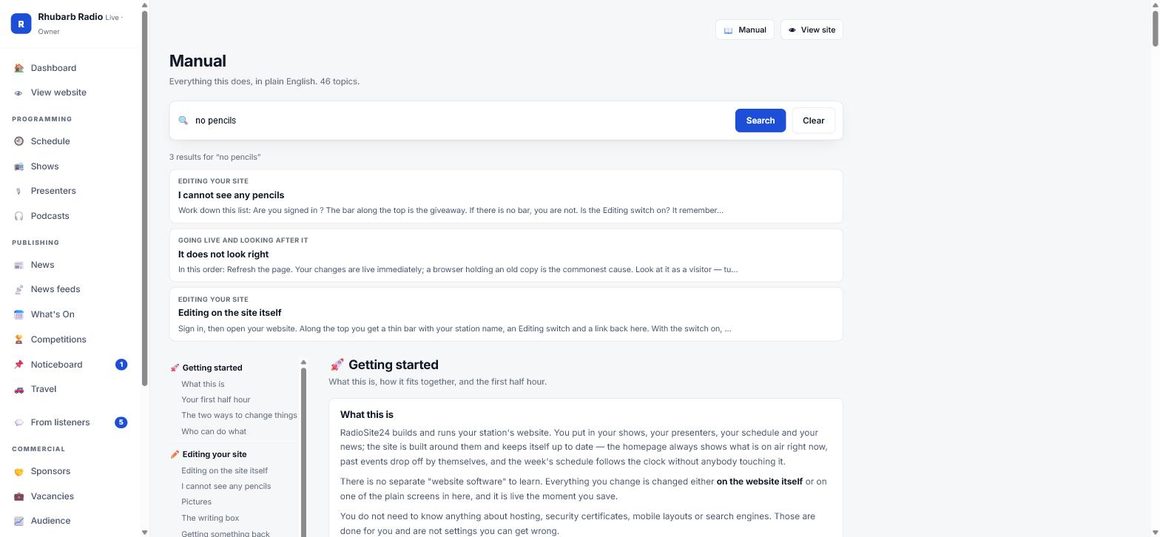
Forty-six topics in plain English, searchable from the top of every screen. Type “no pencils” or “stream not playing” and it finds the answer, not a list of everything containing the word “stream”.
- A little ? next to anything worth a sentence, everywhere in the system
- Every explanation says why, not only how
- Written by the people who built it, and kept in the same file as the software
Your audience
The numbers that go in a rate card and a funding application.
Page views tell a station manager almost nothing. What you need to know is whether people pressed play, how long they stayed, which presenter gets read about and which sponsor got clicked — because those are the numbers somebody will actually ask you for.
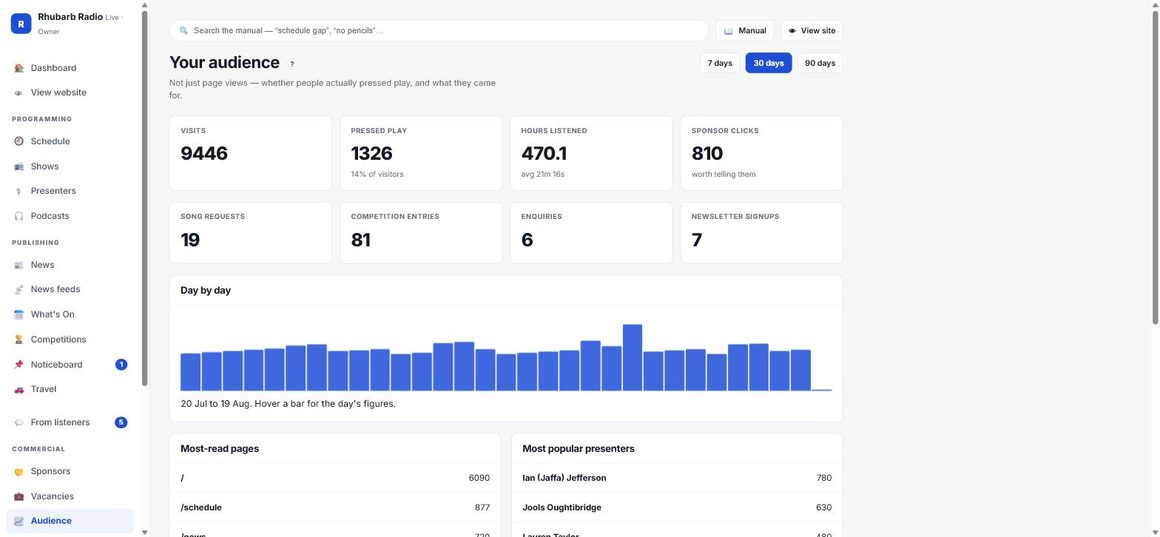
Who actually pressed play
Not just who visited. How many pressed play, and what share of your visitors that is — the one conversion a radio station cares about.
How long they stayed
Total hours listened and the average length of a listen, timed from the moment they press play to the moment they stop or close the tab.
Sponsor clicks, by sponsor
Every click on a sponsor’s logo or link, counted and attributed. That is your renewal conversation, with a number in it.
Which presenters get read
Your most-read presenter pages and most-viewed show pages, ranked. Presenters ask. Now you can tell them.
What listeners sent you
Song requests, competition entries, contact enquiries and newsletter sign-ups — engagement, not just traffic.
Day by day
A chart across 7, 30 or 90 days, so you can see the night the outside broadcast worked and the week the schedule change cost you.
Plans
Pay for what you actually use.
The thing that costs more is the thing that costs us more to run — disk. Everything else is on every plan. Two months free when you pay for a year.
Station
- Live schedule, shows, presenters
- News, what’s on, sponsors
- Weather, travel, contact forms
- Player on every page, all eight looks
- Station app & car dashboard
- Point a domain you already own at us
- A domain of your own, free for the first year
- No podcasts, no listen again
Station Plus
- Everything in Station, plus:
- Podcasts & a feed Apple accepts
- Competitions with entry & draw
- Community noticeboard
- Newsletter list & recruitment
- Extra storage £3 per 10 GB
- A domain of your own, free for the first year
Broadcast
- Everything in Station Plus
- Listen again — your last 7 days, recorded for you
- Pause and rewind live radio — on your own website
- Extra storage £3 per 10 GB
- Priority support
- A domain of your own, free for the first year
Already a station? Log in to your website
Your trial runs on the plan you choose, with everything that plan includes switched on from the first minute — bar the recorder, which is the next paragraph. You put a card in to begin, but nothing is taken for 14 days — cancel before then and you pay nothing. Downgrading never deletes your files — it switches features off, and they come back the moment you pay again.
Listen again and pause-and-rewind stay off until your first payment. They are the one part of this that costs us real disk and real bandwidth every day, for every station, whether anybody listens or not — so we do not start recording during a free trial, on any plan, Broadcast included. Everything else you are paying for is on from the first minute. Recording begins at the next programme to start after your first payment goes through, and your first seven days build up from there.
Paying for a year is twelve months for the price of ten, and it is the only way the free domain comes included — a domain costs us real money the day it is registered and cannot be refunded, so it only makes sense over a year. You can point a domain you already own at us on any plan, monthly or yearly, at no extra cost.
If you stop paying, your website goes offline and visitors see a short page with your contact details on it. Everything you have made is kept for 30 days and comes straight back if you renew. After 30 days it is deleted. We will email you before that happens. Full terms.
How it’s counted
Measured properly. Nobody followed around.
Most website analytics work by following people. This doesn’t — and it still gives you better numbers than a page-view counter, because it is measuring the things a radio station is actually asked about.
- No cookies, no third party, no cross-site identifier, nothing sold
- A visitor is counted by a code that changes every day — enough to tell one person from two this afternoon, useless for following anyone across a week
- Raw IP addresses are never written down. Not stored, not hashed-and-kept, never on the disk
- Listening time is sent when the player stops or the tab closes, so a listen that ends by somebody shutting their laptop is still counted
- Individual visits are rolled into daily totals and the detail is deleted after three days
Questions
The ones we get asked.
Do I have to move my domain?
No. Keep it where it is and point it at us — we’ll tell you the two lines to change, or talk to whoever looks after it. That works on every plan.
If you pay for a year, on any of the three plans, a domain of your own is included free for the first year. You tell us what you would like from inside your dashboard, we check nobody has it, and we register it and set it up — there are no DNS settings for you to touch. After the first year it renews at the normal price for that ending, and we tell you what that is before it does.
What happens to my existing website?
Nothing, until you say so. Give us its address and we’ll read your presenters, shows and schedule off it, show you what we found, and write none of it to your site until you tick it through.
Will it work with my stream?
Icecast, Shoutcast, AzuraCast and plain JSON now-playing feeds all work. We test the stream before you publish, and tell you if it isn’t actually playing — rather than letting you launch a site nobody can listen to.
Can my presenters update their own pages?
Yes, and only their own. A presenter role can edit their profile and their show, and nothing else. There are four roles, and nobody is ever shown a button that will then refuse them.
What if I already have podcasts somewhere?
Point us at the feed and your episodes appear on your site, playable, without moving the files. If you’d rather host with us, upload them and we generate a feed Apple and Spotify accept.
Can I cancel?
Any time, from the shop account your card is on. Your plan runs to the end of the period you have paid for.
Downgrading never deletes anything — your site stays live, the paid features switch off, and your files stay exactly where they are until you upgrade again.
Cancelling takes your website offline when the period ends. Visitors see a short page with your contact details. Everything you have made is kept for 30 days and comes straight back if you renew — we email you before those 30 days are up. After that it is deleted, so back up anything you want to keep. There is no export button.
The small print, in large print
The six things worth knowing before you pay.
- Your content stays yours. Your shows, your photographs, your audio, your podcast episodes — we take no ownership of any of it. What we own is the website we built and the software that runs it.
- Music licensing is yours. We are a website, not a licence. Broadcasting, streaming and putting a programme up on demand are three separate permissions — PRS and PPL are the people to ask, and we do not include any of them.
- Listen again is recorded at your instruction. Those recordings are your programmes. Before it can be switched on, somebody at the station confirms you hold the rights for on-demand listening.
- Cancel whenever you like. Your plan runs to the end of the period you have paid for. We do not refund part-periods.
- Stop paying and your site goes offline, with a short page giving your contact details. Everything is kept for 30 days and comes back the moment you renew — and we email you before the 30 days are up.
- There is no export button. Back up anything you want to keep before you go. After 30 days it is deleted and cannot be recovered.
Two weeks free. Nothing charged until day 15.
Start with your existing website address and let it fill itself in, or start from scratch. Either way you’ll have something to look at in about ten minutes.
Card details up front, nothing charged for 14 days, cancel any time from your shop account, from £12 a month after that, terms